プラン一覧


登録特典
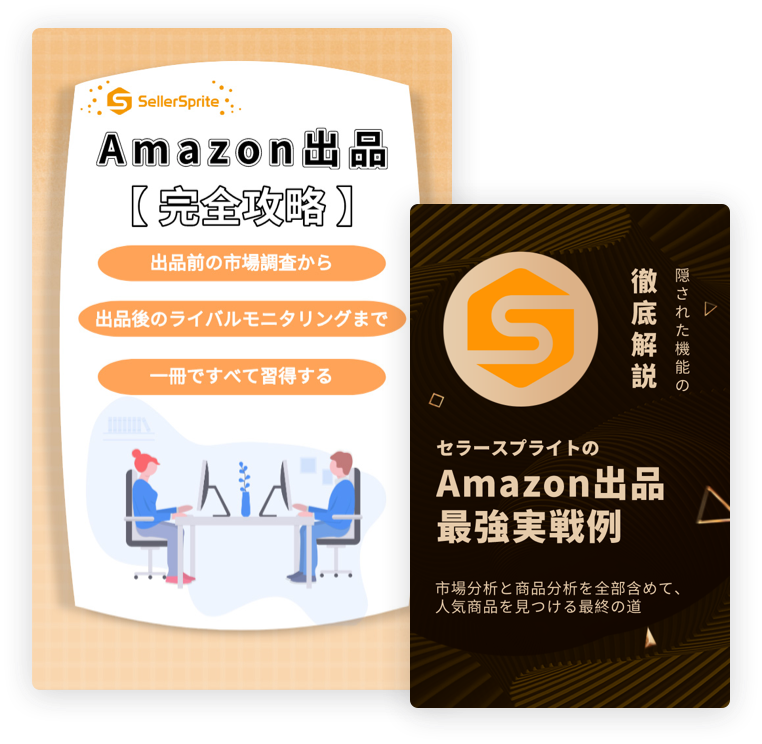
「セラースプライトのAmazon出品完全攻略」&「セラースプライトのAmazon出品最強実践例」
会員登録して頂きますと、なんと2冊とも無料でGET!
AIが大活躍するビッグデータ時代で、Amazonに出店しようとしている方、必見!
登録が完了後、ホームページのメッセージセンターにてご確認くださいませ。
KOLSpriteでよりスマートに!TikTokリサーチ、インフルエンサー検索、キャンペーン施策をこれ一つで。
TikTok上の膨大なデータを活用し、市場検証、最適なクリエイター選定、効果的なプロモーション計画を一括でサポートします。意思決定をスピーディーにし、TikTokマーケティングを効率化します。

APIインターフェース
大規模なデータ連携を実現。


導入企業









よくある質問
おすすめのプランはどれですか?
新たに登録していただいたお客様のメールに、常にお得な年単位プランクーポンコードを配信しております。そちらを使えば年単位プランが全て大きな割引になりますので、最もおすすめなプランです。
【ご購入ガイド】
お支払方法は何かがありますか?
利用期限内に利用量を使い切れた場合にはどうしますか?
「ユーザーセンター」⇒「アカウント情報」より、パッケージを購入するか、プラン変更をしてください。ご不明があればお気軽にオンラインサービスセンターにお問い合わせください。
パッケージは足りないと提示する場合は、パッケージをアップグレードしてモニタリング限度を高められます。
1つのアカウントは複数のデバイスで同時に利用できますか?
いいえ。1つのアカウントにつき同時に利用できるデバイスは1台のみです。
複数のデバイスで同時にログインした場合、先にログインしていたデバイスが自動的にログアウトされる可能性があります。
他に何かクーポンコードがありますか?
ご登録用のメールとサイト内のメッセージに不定期にクーポンコードを配信しますので、お時間がございましたら、ご確認ください。
子アカウントの作成方法を教えてください。
主アカウントの「ユーザーセンター」から「子アカウント管理」をクリックし、ユーザー名とパスワードを設定して子アカウントを作成できます。プランごとの上限人数まで追加可能です。
【子アカウント-ご利用ガイド】
途中でプラン変更は可能ですか?
はい、いつでも上位プラン・下位プランへの変更が可能です。
1.月間プランから年間プランへアップグレードする場合
料金ページにてご希望のプランを選択し、「プラン変更」ボタンをクリックしてください。
その後、年間プランをご購入いただくと、月間プランの未使用分は3~6日以内に自動返金されます。
2.年間プランから上位プランへアップグレードする場合
① 前回購入によるサブスクリプションを解約し、料金ページより新たにご注文ください。
② 料金ページにてご希望の上位プランを選択し、「プラン変更」ボタンからお手続きください。
※ 【解約お手続き方法】
※ 年間プラン間のアップグレードについては、自動返金は行われません。お手数ですが、カスタマーサポートまでご連絡いただければ、未使用分の返金対応をさせていただきます。
なお、プラン変更についてご不明な点がある場合は、オンラインチャットよりお気軽にお問い合わせください。
今すぐ体験!