How It Works
Category AI Insights leverages the DeepSeek large language model to interpret SellerSprite's category data. At its core, this feature performs multidimensional data integration and correlation analysis. It not only evaluates data modules like market size, demand trends, competitive landscape, and success factors individually, but also connects them systemically to provide logical, evidence-based insight.
By uncovering the relationships between data points, the AI reveals hidden patterns and forms a coherent, evidence-based analysis, delivering a complete, actionable overview of your selected category.
Why You Need Category AI Insights
Most tools focus on telling you what happened. But what you really need is what's likely to happen, and what you should do about it.
That is where Category AI Insights comes in, designed to balance:
Descriptive Analysis: Understand the current state of a category through accurate, structured data.
Predictive Analysis: Spot emerging trends, potential opportunities, and upcoming risks.
Prescriptive Analysis: Most importantly, AI turns insights into concrete recommendations and strategic action plans.
With AI as your research assistant, you can move confidently from understanding the data to making the right moves.
Core Value And Benefits
Category AI Insights helps you quickly and deeply understand any product category and translate complex data into a clear, strategy-ready action plan. It not only saves 99% of your research time but also delivers data-backed insights to help you:
Identify Category Opportunities: Instantly assess if a category is worth targeting
Define Product Strategy: Identify differentiation points like material, function, or theme
Avoid Risks: Flag high return rates, seasonality, and other risks in advance
Connect To Supply Chains: Use industrial belt insights to connect Amazon demand to real world supply
How To Use Category AI Insights
Method 1: Generate Via Category Insights (Recommended For Exploring New Categories)
Go to the Category Insights page on SellerSprite web version
Enter a target keyword (for example, "tea light holders") or navigate to a subcategory
Open the analysis report and click AI Insights
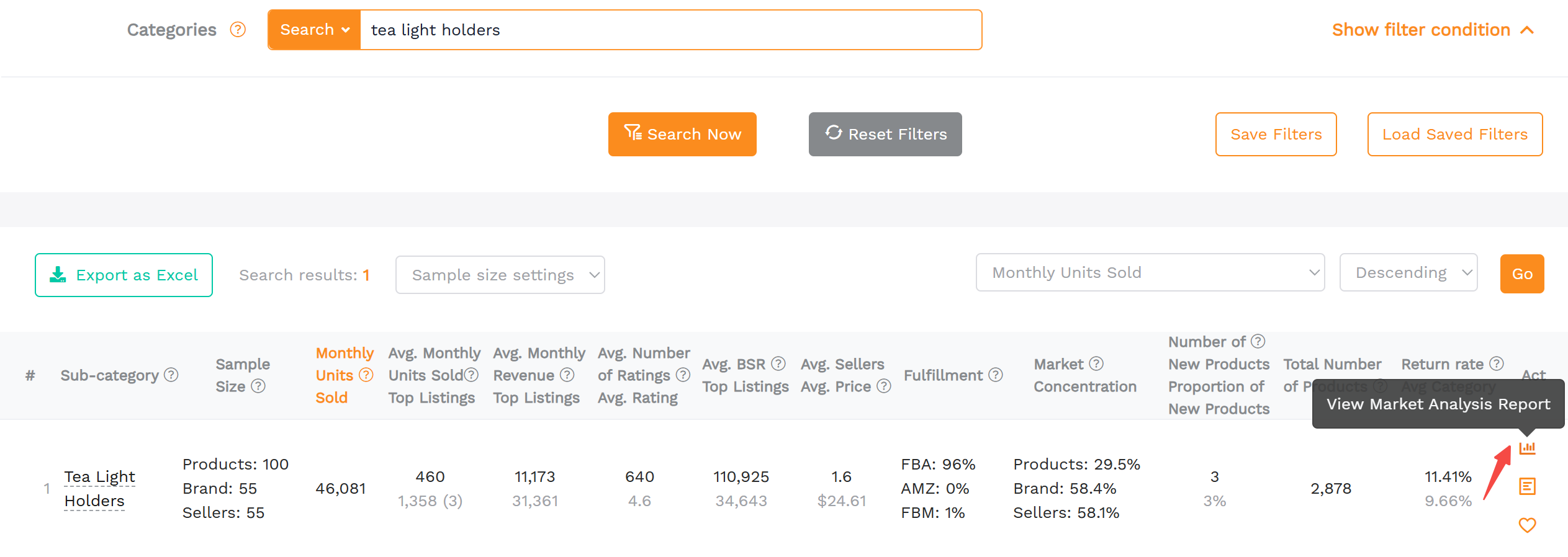
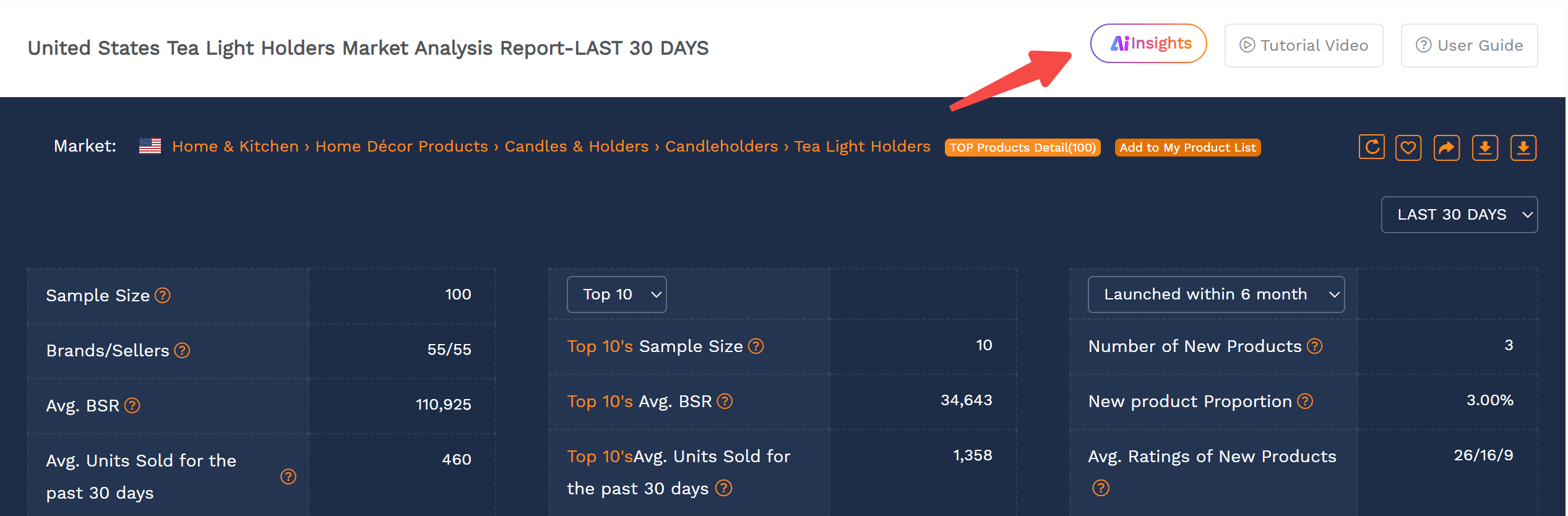
Data Source: Top 100 ASINs in the selected subcategory by sales volume
Use Case: Explore new categories, analyze different timeframes, identify emerging opportunities
Method 2: Generate Via Amazon BSR Page (Best For Real-Time Category Performance)
Visit the BSR page for the category you are interested in
Click Category Insights to generate a report based on the Top 100 products on the BSR page
Click AI Insights within the report
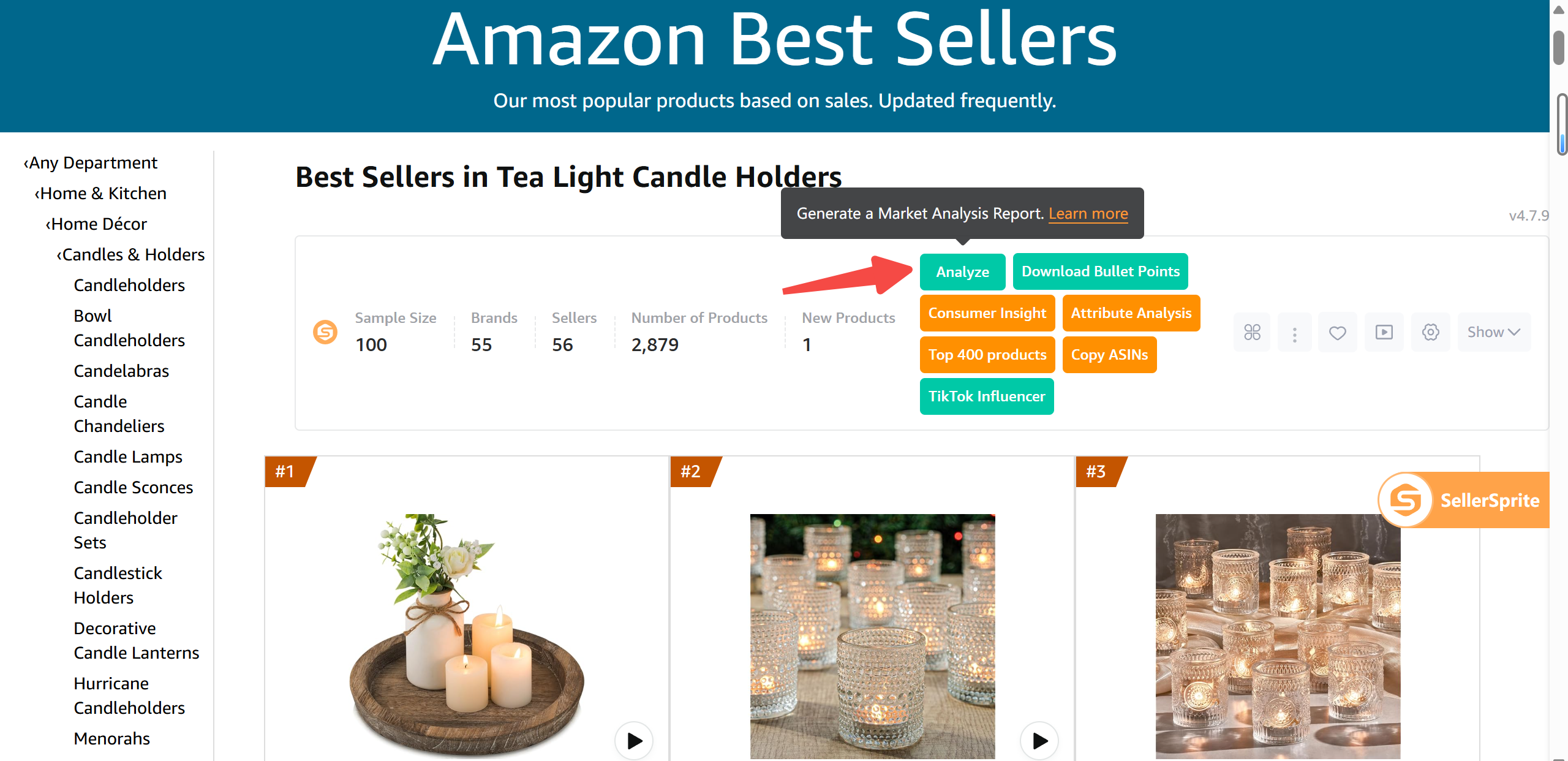
Data Source: Amazon BSR Top 100 Use Case: Understand real-time category dynamics, benchmark top sellers and their strategies
Method 3: Generate Via My Product List (Best For Custom Competitive Analysis)
Go to My Product List (or add products directly from Amazon pages)
Select ASINs to analyze
Click AI Insights from the generated report
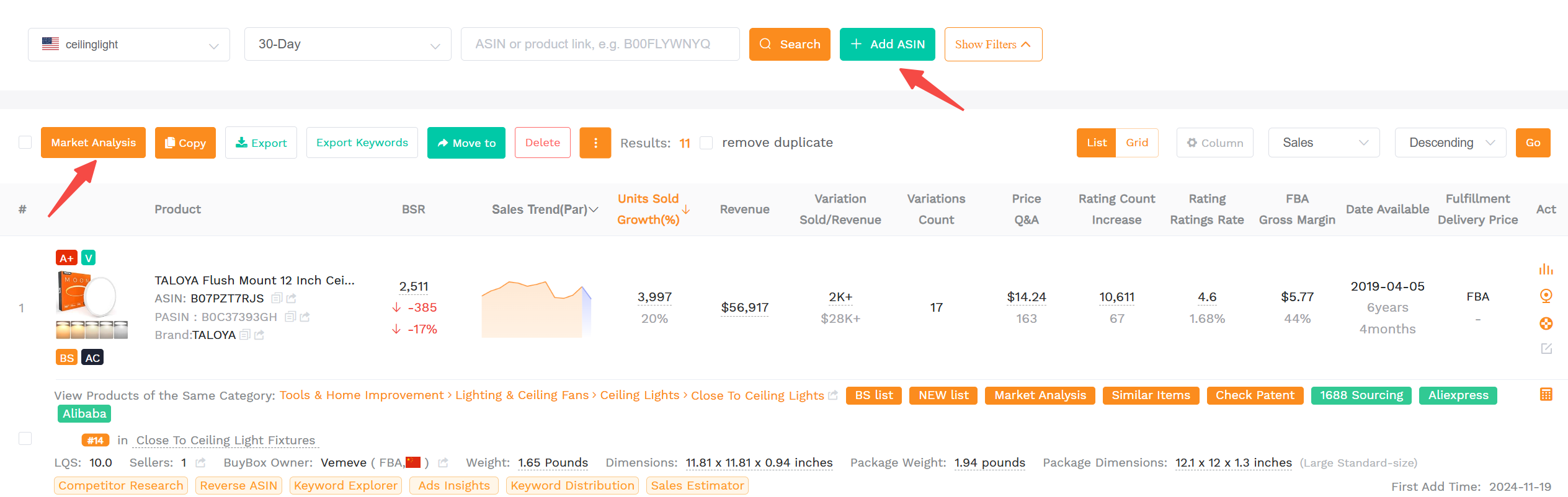
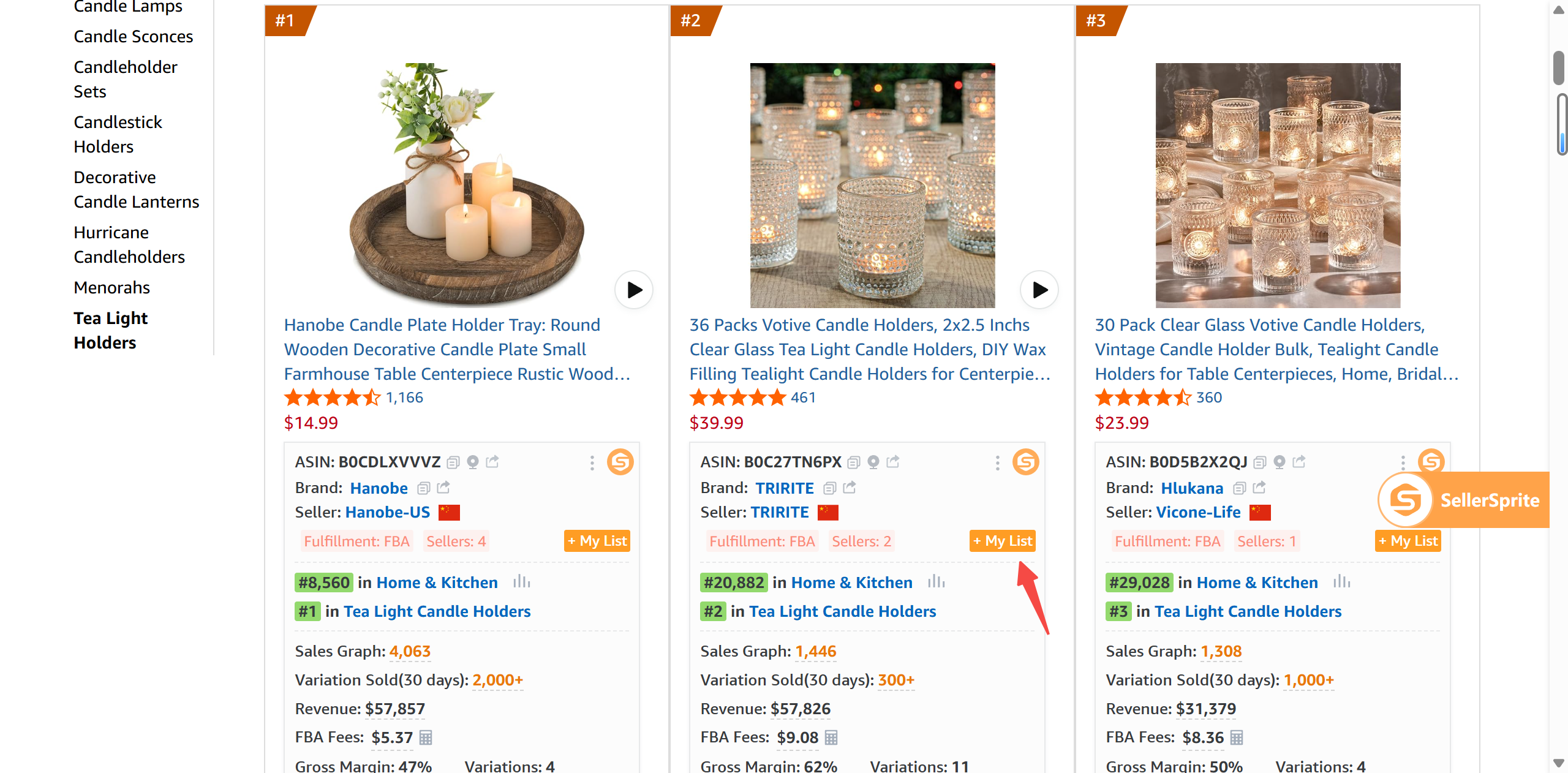
Data Source: Only the ASINs you add, creating a fully customized category segment
Use Case: Deep competitor analysis, niche product comparisons, internal product line optimization
Free Usage Limits
Free users: 10 AI reports or follow-up questions per day
Paid users: 100 per day
Category AI Insights Modules Explained
1. Category Overview And Scale
Understand maturity, scale, velocity, ASP
AI connects ASP with seasonality and reviews for layered analysis
2. Demand And Trends
Seasonality, core keywords, search to purchase rate, return rate
AI links high return rates with product materials and suggests improvements
3. Competitive Landscape
Brand and seller concentration, new entrants, seller regions
AI recommends entry strategies or brand differentiation when needed
4. Key Success Factors And Strategic Insights
Ratings, reviews, A+ or video usage, FBA rate
AI evaluates the importance of each based on category maturity
5. Opportunities And Subcategories
Materials, functions, design themes, seasonal triggers
AI suggests product ideas based on unmet needs and trends
6. Risks And Challenges
Return rates, saturation, seasonality, review difficulty
Pre-launch red flags and market traps
7. SWOT Analysis
Strategic level summary of Strengths, Weaknesses, Opportunities, and Threats
8. Industrial Belt Reference
Sourcing hotspots in China based on product type
for example, glassware → Zibo, ceramics → Dehua
9. Category Entry Strategy
AI's checklist for go-to-market: positioning, pricing, branding, reviews, promotions
10. Summary
One paragraph recap of the full analysis
Use Cases
Use Case 1: Evaluate Multiple Categories Quickly
When to use: You are choosing between multiple product ideas (for example, yoga mats, air fryer liners, pet water fountains)
How to use:
Generate an AI report for each keyword
Eliminate weak categories, dive deeper into promising ones with Category AI Insights
Value: Cut days of research into minutes, focus on what matters
Use Case 2: Enter A Crowded Category With A Differentiated Product
When to use: You want to enter a saturated space (for example, tea light holders) with a unique angle
How to use:
Focus on Opportunities And Subcategories for product inspiration
Validate direction by analyzing new entrants and success factors
Value: Avoid the price war. Find your niche within the category using AI-driven insights.
Open Your AI Reports Dashboard
Generate and compare Category AI Insights reports side-by-side to validate categories faster.